Bad Physics Player Tools
Practical utilities that turn Bad Physics sessions into faster Bolts and smarter loadouts.
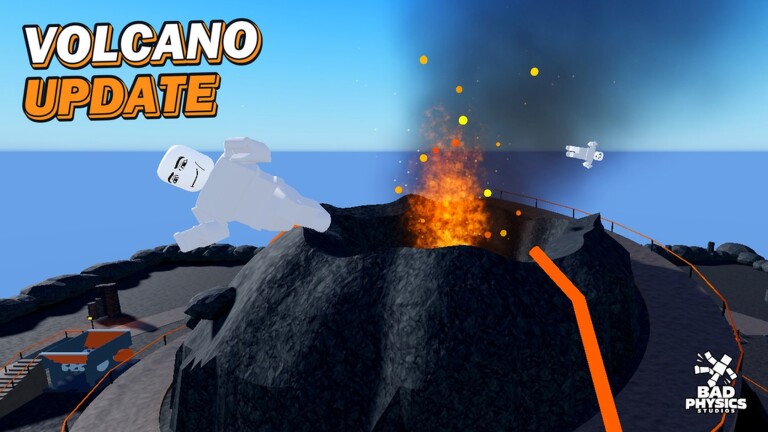
The Tools Hub collects player utilities built for Bad Physics — not third-party executors, not scripts, and not account-risk “cheats.” Everything here is a planning aid you can use beside a normal Roblox session: how to farm Bolts, how to think about Gunsmith loadouts, and how to chain rewards without wasting playtime.
Bad Physics is a physics sandbox first. You smash ragdoll dummies across eight maps, craft chaos with sixty-eight weapons, call Nuke / Dummy Rain / Zombie Outbreak, and drive cars, a tank, or a crane. Under that spectacle sits a progression layer: daily rewards, playtime rewards, quests, a climb to level 100, and Bolts as the spend currency. Tools pages exist so you can enjoy the sandbox without guessing which loop actually grows the account.
What lives under Tools
Bolt guide
A progression-focused farming plan covering daily rewards, playtime rewards, quests, the Bad Physics Studios group bonus (Bankshot + 500 Bolts), and efficient session loops from level 1 toward 100. Pair it with codes whenever a promo is live and with Getting Started if you are brand new.
Loadout planner
A mental planner for picking a weapon class and Gunsmith attachments around a goal — maximum launch distance, crowd chaos, or vehicle smash. Cross-link it with the tier list after balance patches from the Updates Hub.
More tool pages can land here later (checklist printers, map route notes, event timers). Each one should stay actionable: clear steps, honest limits, and links back into guides or updates when the live game changes.
How to use this hub in a normal session
- Before you join — skim patch notes so you know if Gunsmith or rewards just moved.
- First five minutes in-game — claim dailies / playtime progress, then open the Bolt guide checklist in another tab.
- Mid-session — pick one chaos goal and build toward it with the loadout planner instead of randomly swapping every toy.
- After the session — note what felt strong, then compare against tier list and guides so tomorrow’s plan is tighter.
Why these tools matter for Bad Physics
Physics sandboxes reward creativity, but accounts still gate cool toys behind levels and currency. Without a plan you can burn an hour launching dummies and still miss the group bonus, a daily claim, or a quest that would have paid for a better magazine. Tools pages compress that decision-making: short loops, clear priorities, and reminders to verify facts on official channels listed under Links.
They also protect you from bad advice. If a social post claims a “secret Bolt glitch” or a fake code list, ignore it. Stick to in-game reward panels, the studio group gift, and this wiki’s codes page when real promos exist. Tools never replace the live client — they organize what the client already shows you.
Related hubs
- Guides Hub — longer walkthroughs and beginner onboarding
- Codes Hub — redeemable promos that stack with farm loops
- Updates Hub — patch tracking that can invalidate yesterday’s plan
- Tier List Hub — meta rankings that feed loadout choices
- Links Hub — official Roblox, group, and YouTube destinations
- Wiki overview — how the whole site is structured
Bookmark this Tools Hub if you play in short bursts. A ten-minute Bolt loop plus a focused loadout goal beats an unfocused hour every time — especially while November 2026 balance is still moving.
Frequently Asked Questions
Quick answers for Bad Physics players.
Are these tools scripts or exploits?
No. Tools pages are planning guides for normal play — farming loops and loadout thinking. They do not provide executors or account-risk software.
Which tool should I open first?
New accounts should start with the Bolt guide for rewards and group bonuses, then use the loadout planner once you have a few weapons unlocked.
Do tools stay valid after updates?
Core loops (dailies, playtime, quests, group gift) are stable, but weapon strength can shift. Re-check Updates and the tier list after each patch.
Where do codes fit in?
Redeem anything listed on the Codes Hub first, then run the Bolt guide loop so promo Bolts and daily Bolts stack in the same session.